
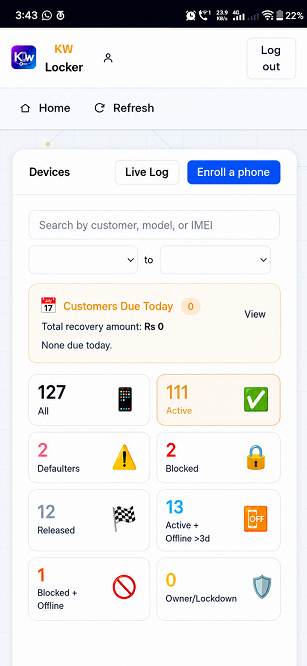
Devices dashboardkw-phone-dashboard.png
Devices dashboard. Every device, due, payment and alert at a glance.
KW EMI Suite sits inside every phone you sell on installments. Miss a payment past grace and the phone enters a limited mode — emergency calls always work. Pay, and it's back in seconds. Watch it happen on the right.
NEW: reminder calls, Dues at a glance, staff app on Google Play →
Live now for every shop on the platform — built on our own counter first, then shipped to yours.
A recorded call reminds the customer the day before their phone would be restricted, with follow-ups after and an optional call to the guarantor. Calls run only between 10 am and 9 pm and stop the moment a payment is recorded. Free trial for every shop.
One card per customer: how much is overdue, how many days late and what is due next. Tiles for overdue, due today and the next 7 days; tap a number to call; a Locked badge shows who is already restricted.
KW Central sets up a new phone right at the counter with just one phone — no PC bench needed. A premium add-on for busy counters.
KW EMI Suite for Retailers puts devices, payments, dues and alerts on your counter phone. For authorised KW retail partners.
Distributors open shop accounts and supply enrollment keys from their own pool. They see keys — never a shop's customers — and head office sees every distributor and account.
Installment plans can run up to 18 months as standard, with longer plans approved shop by shop by head office.
KW EMI Suite runs at Device Owner level — the deepest software authority Android grants. It is installed at sale, agreed in writing, and engineered against every escape route we've seen on a real counter.
Not a normal app the customer can uninstall — the management layer of the phone itself, from first boot.
Factory reset, flashing tricks, safe mode — detected and answered. The loan stays protected across the attempts we see in the field.
Payment posted → unlock delivered over push in seconds. Overdue confirmed → restriction lands just as fast.
The lock boundary fires on the phone itself — on time, even fully offline, even in deep sleep.
Aggressive OEM battery killers can stop ordinary services. Ours resurrects itself on a persistent system schedule.
Backdating the phone's clock to dodge a due date? Detected the moment it happens; the schedule re-arms itself.
One portal, two enforcement engines. Our own Device Owner engine protects the fleet today — and platform-level device locking, enforced by the Android system itself on supported new devices, is being engineered into the same portal. Same staff flow, same customer promises, deeper roots.
Our in-house enforcement layer, running on every enrolled phone across Android 10–17.
System-embedded locking on supported new Android devices — enforcement below the app layer, registered before first power-on.
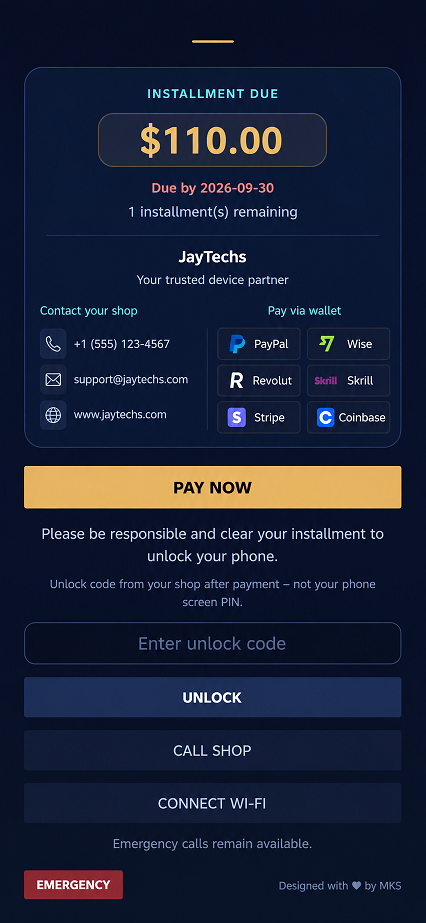
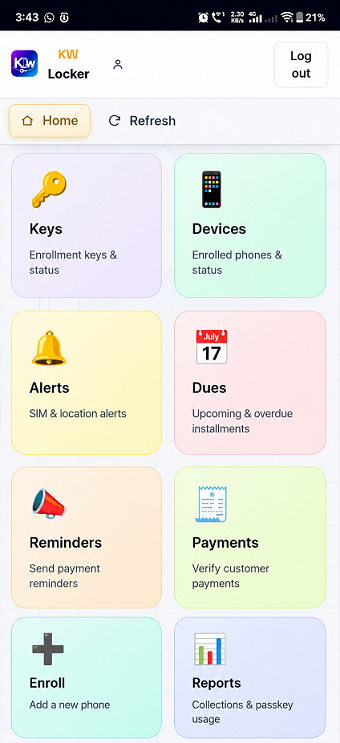
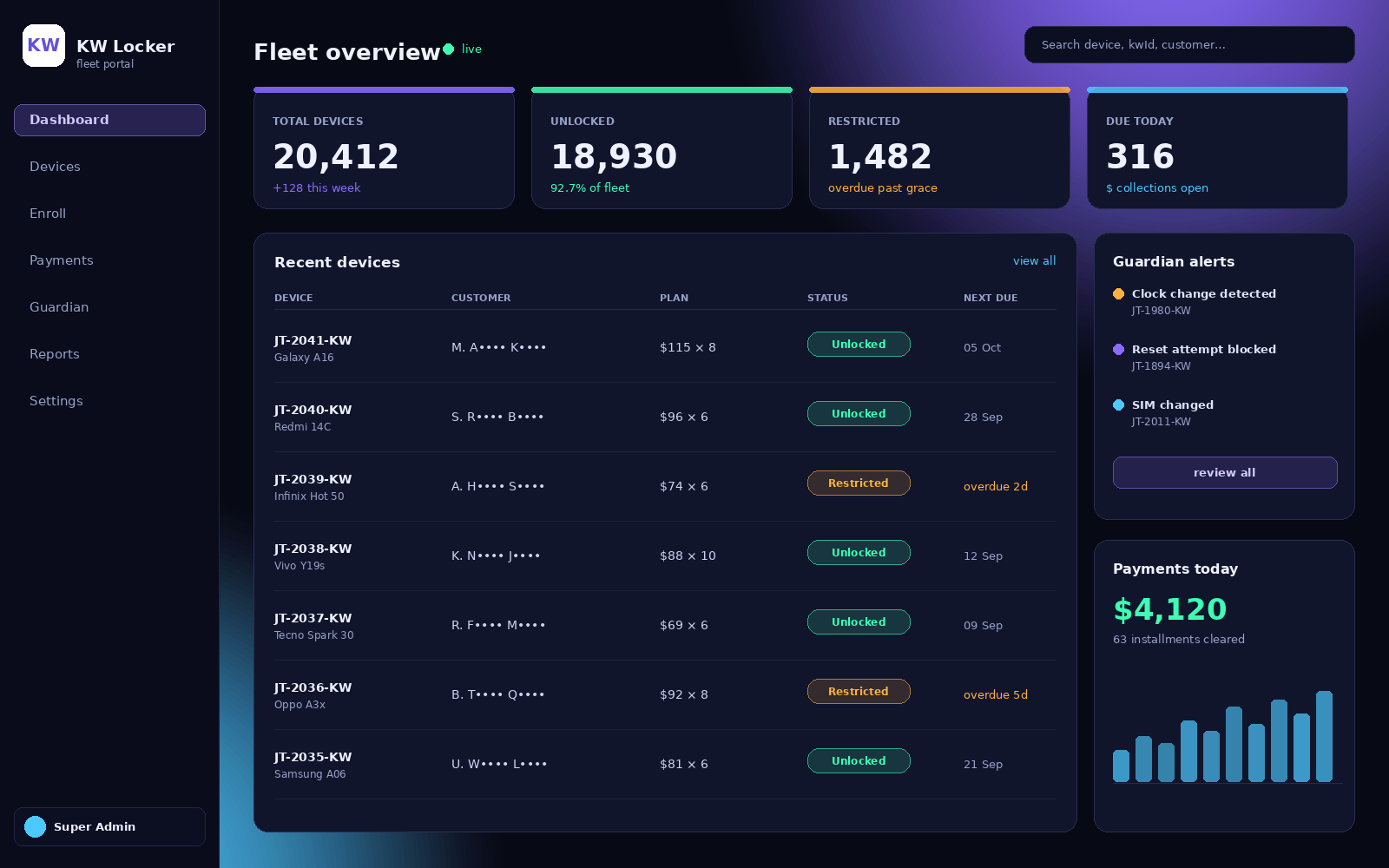
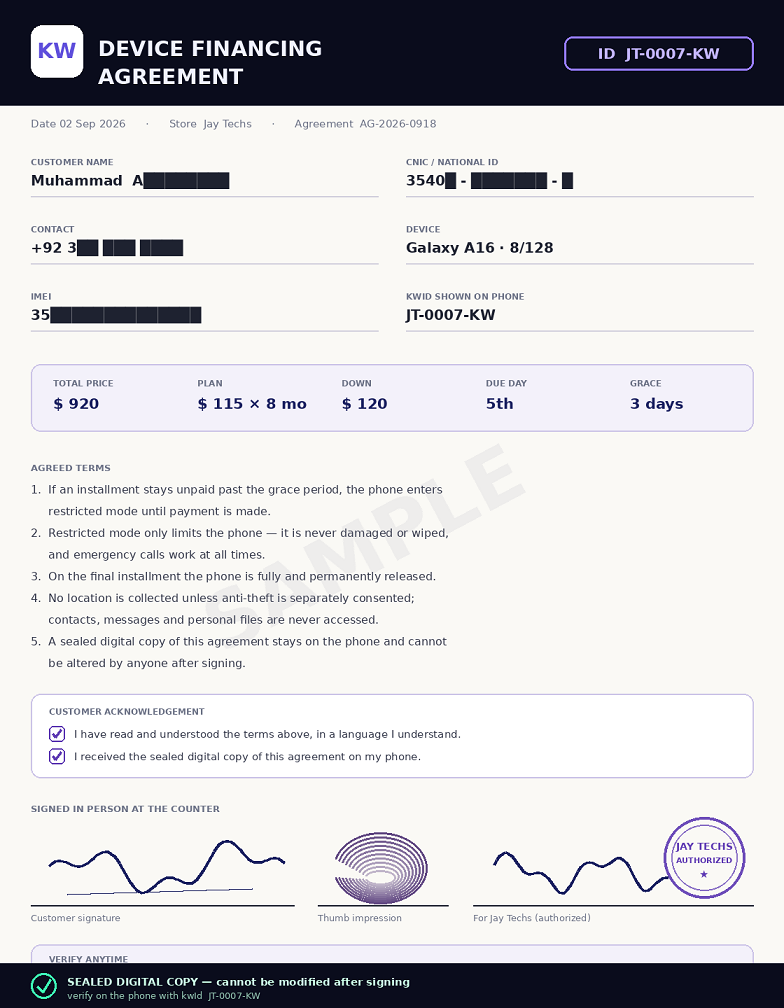
Sample views of the surfaces your staff and customers work with every day — the fleet portal, device management, the restricted phone, and the signed agreement.
KW EMI Suite is operated as a formal device-financing program by JayTechs (Jay Techs), a registered retail technology business. These are the standards every enrolled device runs under — published here so customers, partner shops and platform reviewers can verify them.
Enrollment happens at the counter, in front of the customer, in the time it takes to make tea.
New phone comes out of the box and is set up at the bench — or right at the counter with just one phone, using KW Central.
Customer reads the plan, signs on screen, thumb impression taken, CNIC recorded.
KW EMI Suite takes device-owner control; the loan, schedule and grace days go live.
Customer walks out with a working phone, their ID on the status screen, and a copy of their agreement inside it.
Priced in USD ($) per active device, billed monthly — and scaled to your volume, your country and your rollout. Unlimited lock and unlock commands on every plan; we never charge per command, per unlock or per reminder. A device that finishes its loan stops counting. Tell us your volume and we'll quote the same day.
Fifteen minutes on a video call — or in person at our counter. We enroll a real phone in front of you, lock it, and unlock it — then hand you the portal to try yourself.
No — and that's deliberate. Restricted mode limits the phone to essentials: the dues screen, the pay path, and calling. Emergency calls work in every state. Restriction persuades; it never endangers.
Offline unlock codes are stored on the phone and refreshed on every sync. A customer who has paid can always be released at the counter — no network needed.
The engine is built to detect and answer resets, flashing and safe-mode tricks. On supported new devices, the upcoming platform-level engine roots enforcement below the app layer entirely.
Not by default — the system collects no location at all unless anti-theft is explicitly enabled with the customer's consent, and even then it only reads location while the phone is restricted, a few times an hour at most.
The phone is fully released. Management is removed, every restriction ends, and it becomes an ordinary phone — the customer's phone.
Android 10 through 17, across the brands actually sold on installment counters — Samsung, Xiaomi/Redmi, Vivo, Oppo, Realme, Infinix, Tecno and more.
Yes. KW Locker is now called KW EMI Suite — the same platform, the same portal and the same team.
When the shop has reminder calls on, yes: a recorded call the day before restriction, follow-up calls after it, and an optional call to the guarantor. Calls go out only between 10 am and 9 pm and stop the moment a payment is recorded. Every shop can try it free.
Yes — KW EMI Suite for Retailers on Google Play, for authorised KW retail partners: devices, payments, dues and alerts on the counter phone.
Up to 18 months as standard. Longer plans can be approved for a shop by our head office.
KW EMI Suite is run by a working mobile shop, for working mobile shops. Tell us your counter size and we'll show you the exact portal our own staff use every day.